
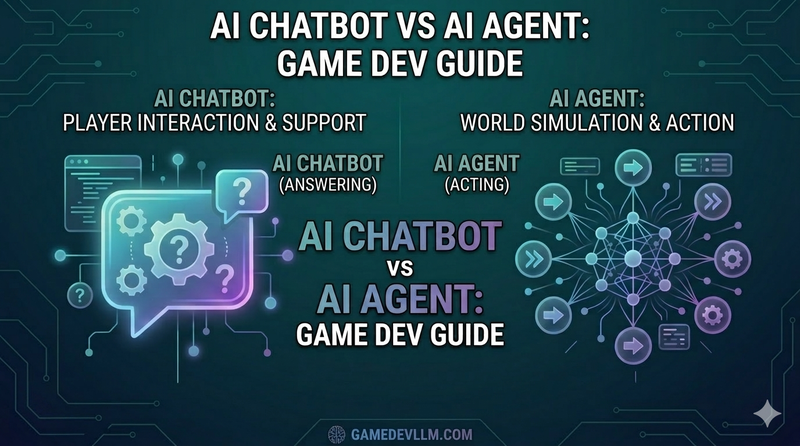
Pasting code into ChatGPT or Gemini and asking “Why isn’t this working?” has become second nature. But lately, the conversations you overhear from other developers sound different. “I had Claude Code refactor the whole thing overnight,” “Cursor found the file on its own and fixed it” — it sounds like more than just getting answers. Something’s doing the actual work. If you’ve ever nodded along to that without quite understanding what’s different or how it works, this post is for you. Same AI, but one does everything for you while the other still needs you to copy and paste — let’s break down where that gap comes from.
Key Takeaways
– Chatbot AI: Turn-based Q&A, no file access, you intervene at every step
– Agent AI: Autonomous execution from a goal, edits files directly, self-corrects on errors
– When chatbots win: Concept exploration, brainstorming, quick code questions
– When agents win: Real file edits, multi-file refactoring, repetitive automation
If you’re new to the AI landscape, AI, Machine Learning, Deep Learning, and LLMs Explained is a good starting point.
Table of Contents
- Chatbot AI — Brilliant Advice, but You Still Do the Work
- Agent AI — Give It a Goal and It Gets to Work
- Side-by-Side Comparison
- How the Difference Plays Out for Game Developers
- Customization Works Differently Too: Gems vs Skills and Rules
- When to Use Which
- What You Need to Know Before Trusting an Agent
- FAQ
- Wrapping Up
Chatbot AI: Brilliant Advice, but You Still Do the Work
This is the most familiar form of AI — the web interface you know from ChatGPT or Claude.ai.
The mechanic is simple: you ask, it answers. That’s it. Ask “What’s wrong with this C# code?” and it explains the issue. Ask “How do I implement object pooling in Unity?” and it hands you an example with an explanation. If the answer misses the mark, you ask again and steer from there.
Think of a phone support specialist. Incredibly knowledgeable, fluent in any question you throw at them — but they can’t see your screen. They can’t open your code files or run a build. The advice is excellent, but execution is entirely on you. And when the call ends (or you close the tab), the memory goes with it.
The key characteristics of chatbot AI:
- Input → Output: One question, one answer — a turn-based conversation
- No tools: No file access, no code execution, no search. Text generation only
- Memory lives in the session: Close the window and the conversation is gone (paid-tier memory features aside)
- You intervene at every step: Read the answer, paste it into your code, check the result, ask again — repeat until resolved
Agent AI: Give It a Goal and It Gets to Work
Agent AI is a different animal. Tools like Codex, Claude Code, Cursor, and GitHub Copilot Agent fall into this category.
The core difference is Tool Use. An agent can read files directly, edit code, run terminal commands, and search the web. It doesn’t just say “here’s how you might do it” — it actually reaches out and does it.
The workflow is different too. A chatbot runs a single question-answer loop. An agent runs a plan → execute → feedback → revise cycle that repeats across multiple steps. Tell it “Find the memory leak causing issues during scene transitions in this Unity project and fix it,” and it reads the relevant scripts, identifies the leak pattern, writes a fix, and handles any build errors that come up — all on its own.
Picture a junior developer sitting next to you. You say “implement this feature,” and they figure out the project structure, open the relevant files, write the code, then come back with “here’s what I did — want to review it?” That’s the dynamic.
Agent AI’s key characteristics:
- Goal → autonomous execution: Give it a large goal and it handles the steps
- Tool use: File R/W, code execution, web search, API calls — real interaction with the environment
- Project context awareness: It reads and understands the project structure, file dependencies, and code patterns on its own
- Self-correction: When errors occur mid-execution, it analyzes the cause and retries
Side-by-Side Comparison
| Chatbot AI | Agent AI | |
|---|---|---|
| Interaction | Question-answer (turn-based) | Goal-driven autonomous execution (multi-step) |
| Tool use | None (text only) | Files, execution, search — direct environment access |
| Execution flow | Single response | Plan → Execute → Revise loop |
| Context | Only what you paste into the chat | Reads the entire project directly |
| Your involvement | Required at every step | Set the goal, then let it run |
| Examples | ChatGPT, Claude.ai | Codex, Claude Code, Cursor |
The structural difference becomes even clearer when you see the two workflows side by side.
How the Difference Plays Out for Game Developers
The same task feels completely different depending on which tool you use. Here are four concrete scenarios.
Scenario 1 — Hunting Down a Bug
With a chatbot, you copy the error message, paste in the relevant code, and wait for the AI to guess at the cause. It suggests a fix, you open the file and apply it manually. If the bug spans multiple files, you repeat this cycle for each one.
With an agent, you just say “There’s a NullReferenceException showing up in-game — find the cause and fix it.” The agent reads the logs, finds and analyzes the relevant scripts, pinpoints the issue, and applies the fix. Multi-file problems get resolved in a single pass.
Scenario 2 — Refactoring
Tell a chatbot “Refactor this MonoBehaviour” — you have to paste the code, then manually apply the suggested improvements to the file. The chatbot has no idea how other files in the project are using this class.
An agent reads not just the class itself, but every file that references it. After refactoring, it handles compatibility across the codebase automatically. The cascade of changes happens without you touching each file.
Scenario 3 — Building a New Feature
“How do I build object pooling in Unity?” — the chatbot gives you a generic example. Adapting it to your project structure, wiring it to your Bullet class, and setting it up in the scene is all on you.
Tell the agent “Build an object pooling system and hook it into the existing Bullet class,” and it analyzes the Bullet-related code in your project, creates an optimized pooling system in a new file, and updates the existing code to connect everything.
Scenario 4 — Concept Exploration and Brainstorming
You can ask Agent AI “What’s a Custom Render Pass in URP?” and it’ll answer fine. But for this kind of work, a chatbot is genuinely the better tool. Concept exploration and brainstorming live and die by the speed of the back-and-forth — and a chatbot responds the moment you ask. The agent, meanwhile, goes through a warm-up process of opening files and getting oriented. Follow-up questions like “How does that compare to GPU Instancing?” or “Should I be using DOTS here?” flow much more naturally in a chatbot. When the agent’s strengths — file access and code execution — aren’t needed, there’s no reason to reach for the heavier tool.
Customization Works Differently Too: Gems vs Skills and Rules
Both let you shape AI to your preferences, but they work at fundamentally different levels.
Gems and Custom GPTs — Assigning a Role
Gemini’s Gems and ChatGPT’s Custom GPTs let you store a persona and instructions for a chatbot. “Answer like a Unity expert,” “always reply in English,” “lead with concepts before showing code” — you lock in how the conversation goes. Convenient for avoiding repetition, but the chatbot’s underlying limits don’t change. It doesn’t gain the ability to open files or run code. It just talks to you in a more familiar way.
A Gem is like telling a support specialist “act like a Unity expert.” They’re still on the other end of the phone. They still can’t see your screen.
Skills and Rules — Defining What Gets Done
Agent AI’s rules and skills operate at a different level entirely. Rules are standing principles the agent applies to every task: “always run tests before committing,” “write comments in English.” Skills define the execution sequence for specific tasks. Create a /find-memory-leak skill and a single command triggers a workflow: analyze logs → identify suspect code → output a list of fix candidates.
Rules and skills are like handing a junior developer a procedural manual: “always do this task in this order.” They follow it — and they actually open the files, write the code, and produce the output.
In short: Gems customize how AI talks. Skills and rules customize what AI does. The fundamental gap between chatbots and agents shows up the same way in how you configure them.
When to Use Which
Developers who get the most out of AI make this choice instinctively. Here’s a quick framework.
Chatbot is the better fit when:
- You want to quickly understand a concept or principle (“How does raycasting work?”)
- You’re brainstorming ideas and want fast feedback
- You need a short code snippet as a reference
- You’re discussing architecture or design direction
- You’re on mobile or in a context where you want something lightweight
- You want to quickly analyze a specific error message or short code block
Agent AI is the better fit when:
- The task requires actually reading and modifying files
- You need refactoring or pattern changes across multiple files
- You need to generate large amounts of repetitive boilerplate
- You want to analyze the whole project and surface issues
- You’re implementing a feature and need integration with existing code handled too
- The task may produce errors that need to be caught and corrected in a loop
A chatbot is you driving with AI navigating. An agent is you naming the destination and AI driving. Short errands are faster on foot — but for a long, complicated trip, handing the wheel to a dedicated driver is the smarter move.
What You Need to Know Before Trusting an Agent
Power comes with risk. An agent can modify multiple files at once — and when it goes wrong, the effects can be project-wide.
Make a habit of committing or branching before any significant agent session. Don’t accept agent output without reviewing the code. Agents make mistakes. They’re particularly prone to errors in code with complex business logic or implicit framework conventions that aren’t obvious from the surface. Reviewing and understanding what it produced is part of the work.
If a chatbot is an AI that advises, an agent is an AI that acts. Action carries responsibility — and that responsibility ultimately lands on you.
—
FAQ
Q. ChatGPT lets me attach files — does that make it Agent AI?
File attachments are read-only. The model can reference the content as context, but it can’t modify files or execute terminal commands. If it stops at text generation without using tools, it’s still a chatbot.
Q. What’s the difference between Claude.ai and Claude Code?
Claude.ai is a web-based chatbot. Claude Code is a terminal-based agent with access to your file system, the ability to run code, and full project navigation. They run on the same underlying model, but work completely differently.
Q. What happens if an agent modifies files incorrectly?
Agents can edit multiple files at once, making rollbacks difficult. Make it a habit to commit or create a new branch before every agent session. Always review the output — agents make mistakes, especially with complex business logic or framework-specific conventions.
Q. For a beginner developer, which is better — chatbot or agent?
Chatbots are better during the learning phase. Reviewing an agent’s output properly requires the ability to read and understand the code it produces. Using agent output without review is a fast track to bugs you can’t diagnose.
Wrapping Up
This isn’t about which type is better. It’s about matching the tool to the task.
For quick concept checks and exploratory conversation, a chatbot is lighter and more efficient. For actual code changes, multi-file work, and tasks that need to run to completion without hand-holding at every step, an agent multiplies your output.
After nearly twenty years of development, the thing I keep coming back to is that leverage — knowing which tool to pick up and when — is what separates the most productive engineers from the rest. The AI era is no different. Developers who can move fluidly between chatbots and agents will consistently outpace those locked into just one.
Next up: how to actually set up and use Agent AI in a Unity workflow — specific prompting strategies included.